Running my own firmware on cloud plugs, without opening them all
I bought four cheap WiFi smart plugs on Amazon. They work fine, they also talk to Tuya’s cloud in China, and there is no button anywhere that says “stop doing that”. This is the story of getting them to run firmware I chose, without opening all of them for a reflash, and what it cost to get there.
Short version: it works. Two of the four now run OpenBeken, an open firmware for these chips, and they have no way to reach the vendor any more. Getting there took quite a few rounds of work, and a good chunk of those were wrong turns.
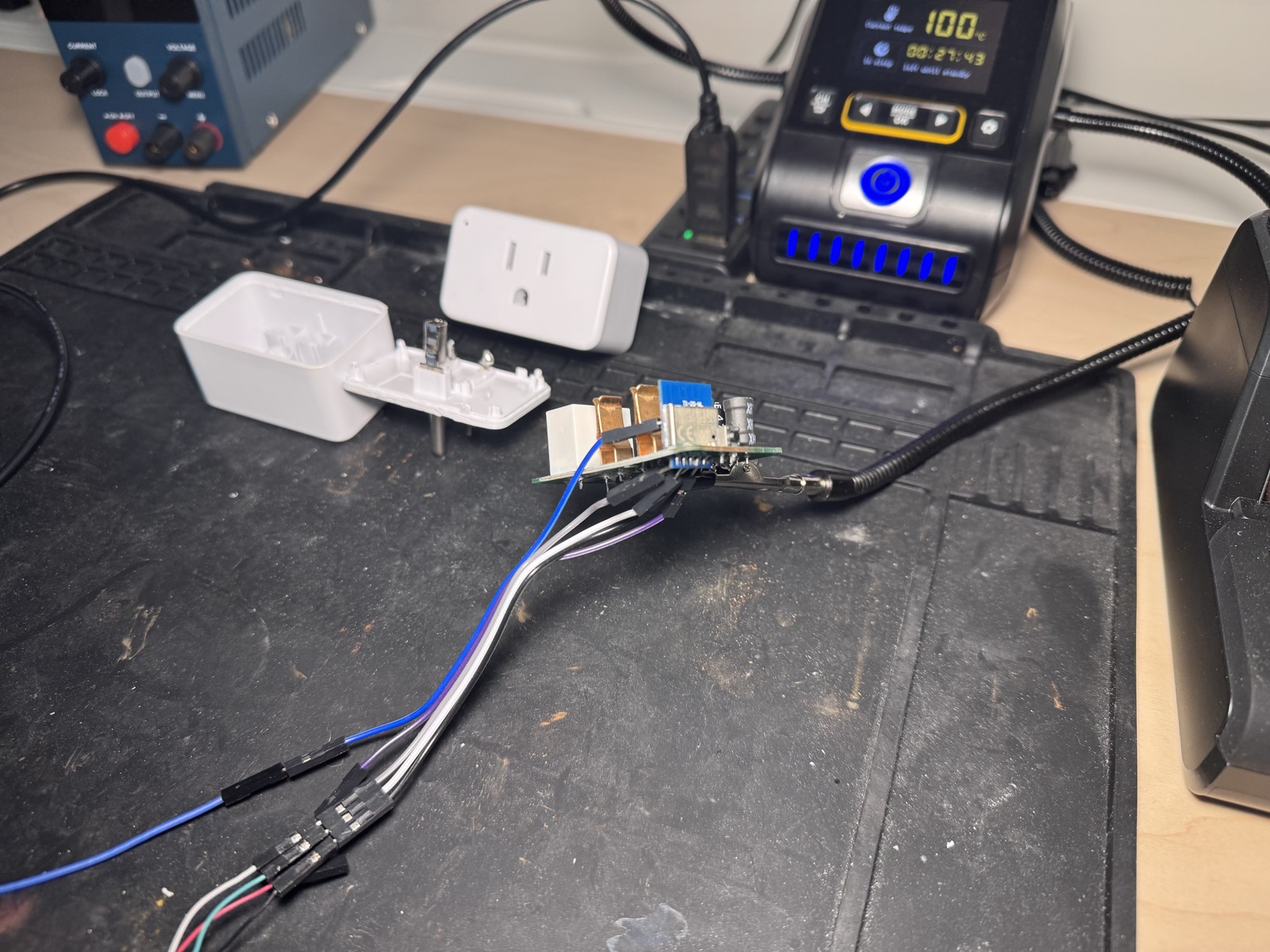 The one plug I opened. Case cracked, board out, serial wires on the UART pads - the oracle everything else was checked against
Why bother
Two reasons. The plug phones home and I cannot turn that off, which is the real one. The other is that doing it without soldering sounded like fun.
The usual way to free a device like this is to open it, find the serial pads, and flash it over a wire. That works, I have done it, and it also means a screwdriver, a soldering iron, and a plug that no longer closes properly if it is ultrasonically welded, as these are. I wanted to know whether the network was enough, and if there was any backdoor to get that working.
What you need before you start
- The device on your own cloud account. Everything here is done to hardware I bought, paired to my own account in the vendor cloud. That is the whole basis - the keys involved are handed to the owner by design from the cloud, and therefore the device has to be in the account, although only for the initial access.
- A full flash dump of one unit. I cracked one plug open and read its flash over serial. You need one oracle at least, a known-good copy to check every answer against. That one unit gives you the firmware layout, the pin map, and a reference image to test against.
- Somewhere to watch it think. The Tuya WiFi module is a separate board soldered onto the main PCB, and it has debug pads that print log lines. Without them you are guessing. With them, the device tells you which check it failed, which is worth more than any amount of clever reasoning.
- A way back. Assume you will break it. I broke the same plug three times in one evening. Each time the fix was a two minute reflash over serial, because I had the original firmware backed up and a serial console already attached.
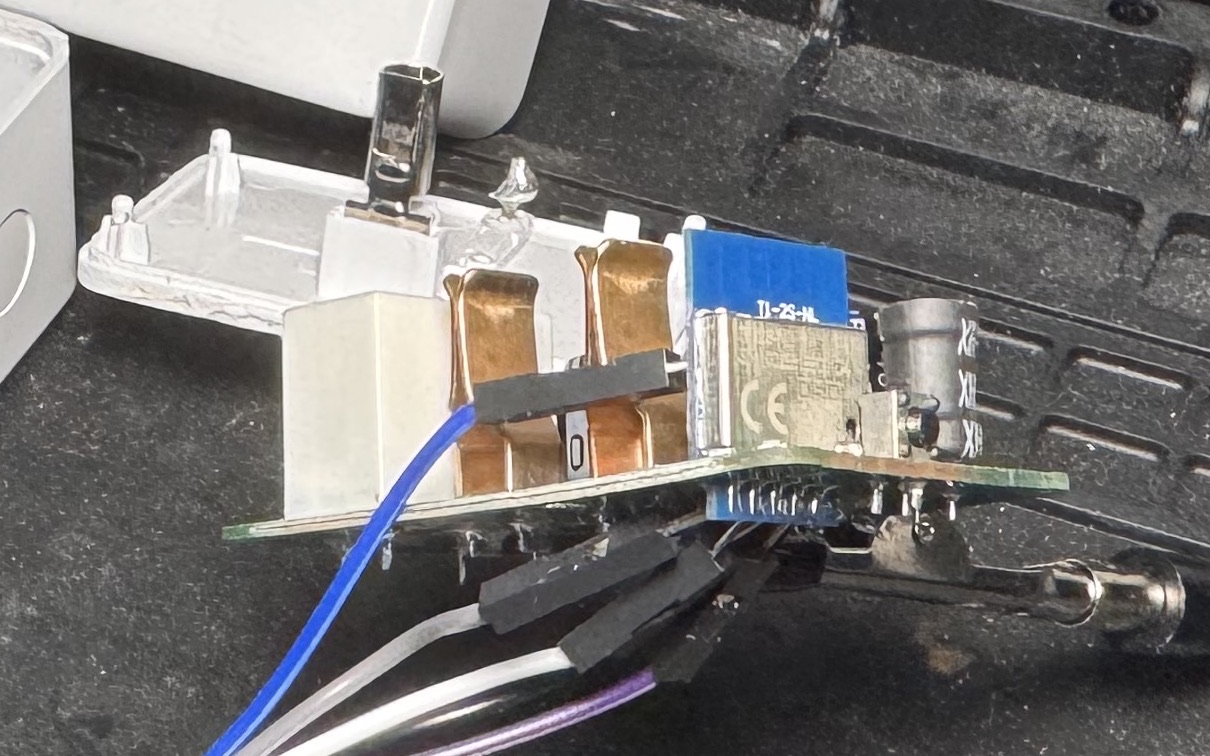 The WiFi module is its own board soldered onto the main PCB. The debug pads that print the log lines are on it
The shape of the thing
Every device like this has some update path. It has to, as the vendor needs to be able to ship fixes and provision it in the factory. On these plugs there are two: one over the internet via the vendor cloud, and one over the local network.
The local one is the interesting one. It is authenticated with a key the vendor issues at activation and hands to the owning account. So as the owner, you can hand the plug a firmware image over your own network and it will take it, check it, and install it. That is not a hole someone forgot to close. It is the update mechanism, used by its owner, for the thing it was built to do.
What made it hard was not authentication. It was format.
Where the days of reverse engineering went
The image is wrapped in a container with a header describing it. The header has a dozen fields. Get one wrong and the device either refuses politely, or accepts it and quietly bricks itself. I went down the brick path several times.
A few that were genuinely interesting:
The self-referential checksum. One header field holds a checksum that covers a range including the field itself. So the value must equal the checksum of data containing that value. You cannot search for it - there are four billion candidates. But CRC32 is linear in a useful way, which means you can solve for it directly with a bit of algebra. Thirty-two test values and some elimination, no guessing, no device round trips.
The compression is picky. The bootloader decompresses the image with a cut-down decompressor built for tiny memory. It allows a dictionary - the window of recent data the compressor can refer back to - of exactly 4 KB, which happens to be the smallest the format can express. Compress with any normal setting and the device rejects the stream without saying why. There is exactly one option.
The bug that broke the plug all three times. This one is my favorite, because the answer was pure arithmetic.
The install writes the new firmware in chunks. I set the chunk size to 4 KB, which looked obviously fine: flash erases in 4 KB sectors, so one chunk should be exactly one sector.
But this chip does not store my bytes the way I hand them over. Every 32 bytes of data gets 2 bytes of checksum written alongside it, all the way through. So 4 KB of mine is not 4 KB once it lands. It is 128 groups of 32 bytes, each grown to 34, and 128 x 34 is 4352 bytes. A sector holds 4096. My chunk was 256 bytes too big for the sector it was supposed to fit in.
Erasing happens a whole sector at a time. So when the next chunk erased its sector, it wiped the 256 bytes the previous chunk had spilled into it. Every chunk quietly ate the tail of the one before.
The write reported complete, every byte accounted for, and the result was shredded in 256-byte bites throughout. The device then failed its final integrity check, which is the only reason I noticed.
The fix is one number: a chunk whose real size lands on a whole sector. 64 KB becomes 69632 bytes, which is exactly 17 sectors, so nothing spills.
4 KB  -> 4352 bytes  = 1.06 sectors   corrupts
64 KB -> 69632 bytes = 17 sectors     works
How I actually found that
Not by being clever. By noticing something that was not in the log.
An earlier attempt had failed with Read patch fail, repeated thousands of times. The attempt after I fixed the write destination had none at all - and still failed. That absence was the clue: if every read succeeded, decompression was fine, so the damage had to be happening after the data was decoded. That pointed at the write path, and the write path is where the arithmetic above lives.
This turned out to be the pattern for the whole project. The answers that held up came from arithmetic in the binary or from something missing in a log. The answers that fell apart came from a story that fit the symptom.
The part where the AI assistance failed
I chased most of this down while using a lot of AI assistance for the heavy lifting, and kept a log of every round as we went. It still needs a human to keep track - knowing what is settled, and sending the prompt that points to the exact problem and issue to solve rather than reiterating on already solved problems. Before chasing anything, search the notes and the captured logs for it first, as even with all the previous log files somewhere in the context the AI fails to see the bigger picture and tries to solve problems again that were already chased down a day or two ago.
The worst example: it concluded the whole approach was impossible and wrote that up in detail. A log file from the previous day, sitting on disk the entire time, showed the device doing the exact thing it had just declared impossible.
A trap at the very end
The open firmware does not fall back. I assumed that if it could not join a network it would open its own access point so I could fix it. It does not. It opens an access point only when no network is configured. A wrong network means it retries forever, unreachable. This is deliberate, and the source code comments the trap twice, five lines apart, in the tone of people who have been asked about it a lot. One of the two guards a compile flag called SPECIAL_UNBRICK_ALWAYS_OPEN_AP.
The escape is a safe mode: power cycle it in quick succession, cutting power each time before the boot is marked successful. Five failures get recorded and the sixth boot comes up in safe mode, which opens the access point. Six short cycles did it, and it saved a serial reflash.
Where it ended up
Two of the four run OpenBeken. They sit on a separate IoT VLAN and WiFi with no route to the internet, the relays respond to a plain HTTP request, and their cloud connections are not configured and never will be. The pin mapping - which pin is the relay, which is the button, which is the LED - came out of the device’s own configuration data, so nothing was guessed.
Total case openings for that unit: one, back in August, to take the original dump. Everything since has been over the network.
Since writing this, I tried it on three more plugs that had never been opened. Two went through exactly as described. On the third the mechanism worked just as well, but I handed it the wrong input file, so it took the image, wrote it, and bricked. Getting that one back will require some soldering and flashing after all.
Four plugs bought, two in service. The third is bricked and comes back once I open it and wire up serial. The fourth is the oracle, and it never goes back in its case - these are ultrasonically welded, and getting the module off was a one-way trip.
What I would tell someone starting this
- Take a full dump of one unit first. Everything else gets easier.
- Get the device’s log output working before you change anything. It will tell you which check failed, and that is the entire game.
- Have the original firmware and a serial adapter ready before the first write, not after. Recovery is routine when prepared and miserable when not.
- When something fails, look for what is missing from the log, not just what is in it.
- Write down what you concluded and when. Then actually read it before concluding the opposite.
The security-shaped thought I will leave here, without going further: on these devices, whoever holds the account holds the firmware. That is a design consequence rather than a bug, and it cuts both ways - it is exactly what let me free hardware I own.